
Will My Old Controllers Work on PS6? Full Compatibility Guide
Author: Martin Pavlič /
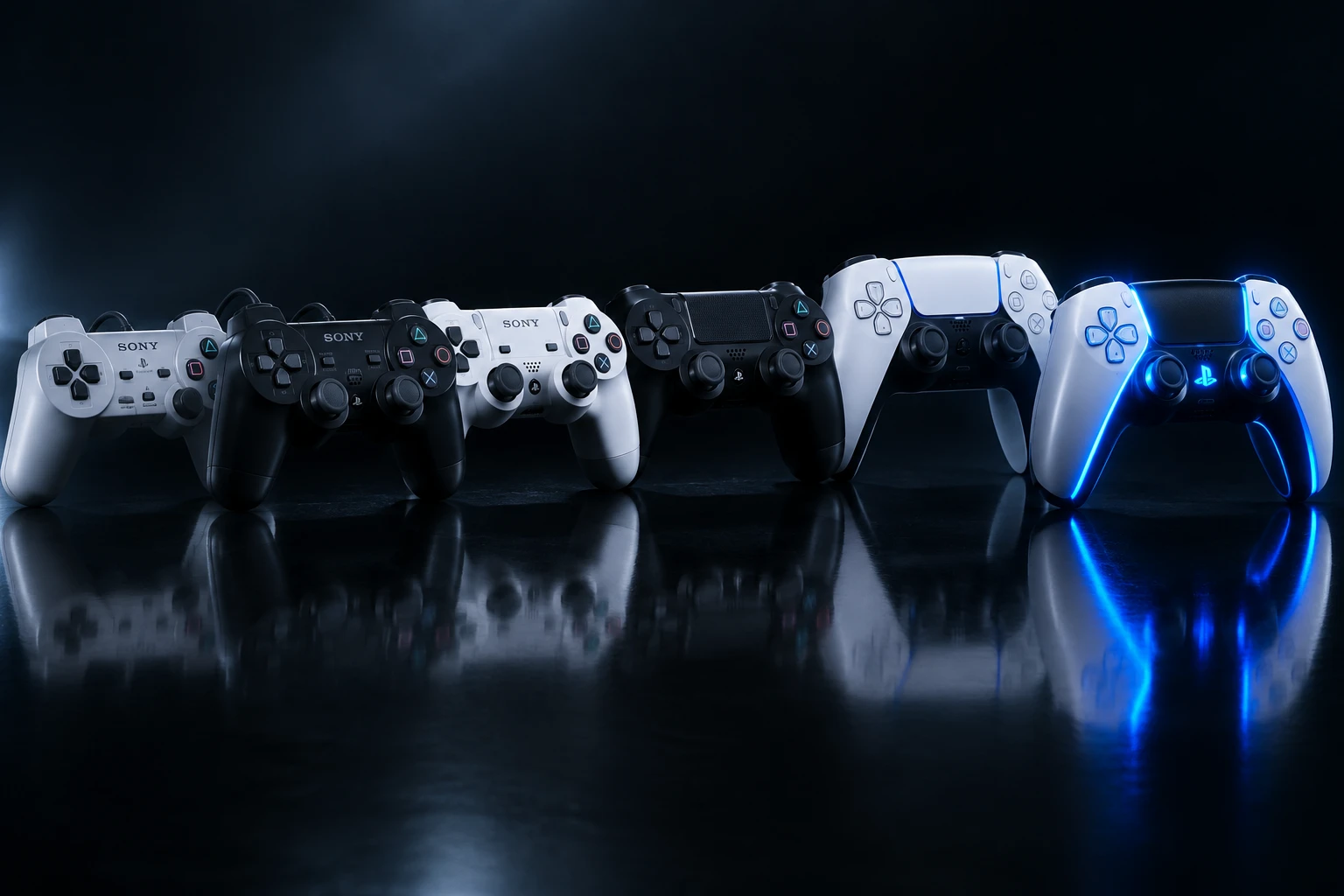
Your DualSense (PS5) controllers will very likely work on PS6, at least for PS5 backwards-compatible games and possibly with limited features in PS6-native titles. Your DualShock 4 (PS4) pads will very likely NOT work with PS6 games. Racing wheels, arcade sticks, and USB headsets from licensed makers usually survive generation jumps via firmware updates.
Nobody can confirm anything before Sony publishes the spec, but three generations of Sony behavior make the pattern predictable. Here is the honest probability table.
Compatibility predictions at a glance
| Device | PS6-native games | PS5/PS4 games on PS6 | Verdict |
|---|---|---|---|
| DualSense 2 (new) | Full support | Full support | The native pad; see DualSense 2 |
| DualSense (PS5) | Likely yes, minus new features | Very likely yes | Keep - great second pad |
| DualShock 4 (PS4) | Very likely no | Maybe, for PS4 games only | Sell with the PS4 |
| DualSense Edge (pro PS5 pad) | Likely yes | Very likely yes | Keep, premium backup |
| Licensed wheels (Logitech, Thrustmaster, Fanatec) | Likely yes via firmware | Yes | Keep, check maker updates |
| Arcade sticks (licensed) | Likely yes via firmware | Yes | Keep |
| Pulse 3D / Elite headset (USB dongle) | Likely yes | Yes | Keep |
| Generic Bluetooth controllers | Unlikely | Unlikely | Don’t count on it |
| PSVR2 Sense controllers | Only in PSVR2-compat mode | For VR titles | Keep only if you keep VR; see PSVR3 |
Why Sony blocks old pads from new games
It looks like greed, but the technical reasons are real:
- Feature certification. PS6 games will be designed around DualSense 2 features (refined haptics, possible Hall-effect sticks, new wireless protocol). Sony certifies that every player gets the intended experience, which means one baseline controller.
- Security chip handshake. Since PS4, controllers authenticate with the console over an encrypted handshake. Old pads lack the new keys, and Sony doesn’t backport them.
- Latency and protocol. Each generation tightens the wireless protocol. PS5 DualSense on PS4 doesn’t work for the same reason PS4 pads were blocked from PS5 games.
The PS5 precedent is the template: DualShock 4 worked for PS4 games on PS5 but was blocked from PS5-native games. Expect DualSense to get a slightly better deal (one generation newer, USB-C standard, closer feature set), but don’t expect full DualSense 2 feature parity.
Racing wheels and flight gear: the good news
Licensed peripheral makers (Logitech, Thrustmaster, Fanatec) have an excellent cross-generation record:
- PS4-era licensed wheels worked on PS5 after firmware updates, typically within weeks of launch.
- The same is expected for PS6: a firmware update plus PS6-native game support.
- Unlicensed or Cronus-style adapters face the opposite fate: Sony actively blocks them with system updates, as it did mid-PS5-generation.
If you own a $300-800 wheel setup: keep it. Check your maker’s support page in launch month for the PS6 firmware. Budget $0 for compatibility, but note that new force-feedback APIs may tempt you to upgrade in year two.
Headsets and audio: mostly safe
- USB-dongle headsets (Pulse 3D, Pulse Elite, most SteelSeries/Astro): expected to work. USB audio is a standard Sony preserves.
- 3.5mm jack headsets plugged into the controller: work as long as the controller works.
- Bluetooth audio directly to console: PlayStation has never supported generic Bluetooth audio and PS6 won’t start now. Use the dongle or the pad jack.
- HDMI eARC / soundbar / AV receiver: unaffected by the generation change. If anything, PS6’s expected HDMI improvements (see best TVs for PS6) make passthrough better.
What to do before launch
Keep:
- DualSense pads in good condition (second/third controllers for co-op and backwards-compatible games).
- Licensed wheels, sticks, and USB headsets.
- Charging docks and USB-C cables (standards don’t expire).
Sell with your old console:
- DualShock 4 pads: bundle them with the PS4/PS5 sale for $15-25 each of added value instead of keeping e-waste.
- Console-specific accessories (PS5 faceplates, PS4 camera, old media remotes).
Don’t buy yet:
- A second pro controller for PS6. Wait for the DualSense 2 Edge equivalent and early stick-drift reports (Hall-effect sticks are rumored precisely to kill drift; see DualSense 2).
- Another headset. Test your current one on PS6 first; audio rarely justifies a day-one repurchase.
Will DualSense 2 work on PS5 and PC?
The new DualSense 2 pad is expected to work on PS5 with limited features and on PC for basic input over USB-C or Bluetooth, while its advanced PS6-only haptics and wireless features stay exclusive to PS6. This mirrors the PS5 precedent: DualSense works on PS4 and PC as a basic controller but loses adaptive triggers and haptic feedback outside PS5 games. Expect Sony to confirm the exact feature matrix near launch (see DualSense 2).
Practical takeaways:
- On PS5: expect button, stick, and basic rumble support in PS5 games, but no DualSense 2-exclusive features. A firmware update on the PS5 side may be required first.
- On PC: expect standard XInput-style button and stick input over USB-C, with Bluetooth pairing for wireless basics. Advanced haptics in PC games will depend on developer support, which was near zero for DualSense, so assume the same.
- Buying advice: if you split time between PS5 and PS6, DualSense 2 as your main pad plus an older DualSense as backup covers both boxes. Don’t buy DualSense 2 early just for PS5 use; prices and bundles improve after launch.
How to pair old controllers with PS6 step by step
Pairing old pads with PS6 will most likely follow the familiar USB-C first-pair flow: connect by cable once, press the PS button, then re-pair over Bluetooth from Settings. Sony has kept this flow across three generations, so the steps below are the expected path, pending official confirmation.
- First pair with USB-C. Connect the DualSense (or licensed third-party pad) to the PS6 with a data-capable USB-C cable and press the PS button. The console registers the pad to your profile.
- Switch to wireless. Unplug the cable; the pad should stay connected over Bluetooth. If it drops, open Settings, Devices, Controllers and select the pad to re-pair.
- Repeat per profile. Each user profile pairs its own pad, same as PS5. Guest pads for couch co-op pair without signing in.
- Check per-game limits. In PS6-native games, expect a system notice if a legacy pad lacks required features; for backwards-compatible PS5/PS4 games it should just work.
- Update firmware. Licensed wheels and pro pads will need maker firmware updates in launch month; update via the maker’s PC app or the console prompt before troubleshooting anything else.
If a pad refuses to pair wirelessly, reset it with the pinhole button on the back, then repeat step 1 with a known-good cable. Cheap charge-only cables are the #1 cause of “pairing failures” that aren’t failures at all.
How many controllers can connect to PS6 at once?
PS6 is expected to support at least 4 simultaneous controllers, matching PS5, with mixed DualSense and DualSense 2 pads allowed in the same session. Larger households should plan on 2 main pads plus one spare rather than buying 4 on day one. Local co-op games set their own player caps (usually 2-4), so the console limit rarely binds before the game limit does.
A few household notes:
- Mixing generations works for multiplayer night: player one on DualSense 2, players two to four on older DualSense pads. Feature differences don’t matter in most party and sports games.
- Headset jacks multiply: each connected pad is also a wired-headset endpoint, handy when two players want separate audio.
- Charging docks from PS5 (USB-C standard) carry over, so a 4-pad household needs dock space, not new docks.
Frequently Asked Questions
Will DualSense PS5 controllers work on PS6?
Very likely yes for PS5/PS4 backwards-compatible games, and probably yes for PS6-native games with reduced features (no DualSense 2-exclusive haptics). Sony confirms specifics near launch.
Will DualShock 4 work on PS6?
Almost certainly not for PS6 games, following the PS5 precedent that blocked PS4 pads from native titles. It may work for PS4 backwards-compatible games. Plan to retire it.
Will my racing wheel work on PS6?
Licensed wheels from Logitech, Thrustmaster, and Fanatec are expected to work after a firmware update from the maker, usually available around launch. Unlicensed adapters will likely be blocked.
Can I use AirPods or Bluetooth headphones with PS6?
Not directly; PlayStation consoles don’t support generic Bluetooth audio. Use a USB Bluetooth transmitter, a 2.4 GHz dongle headset, or plug wired buds into the controller’s 3.5mm jack.
How many controllers can connect to PS6?
PS5 supports 4 simultaneously; PS6 is expected to match or exceed that. Large households should still plan on 2 pads plus one spare rather than 4 day-one purchases.
Should I buy extra DualSense pads now before PS6 launches?
No. Prices on PS5 pads will drop after PS6 launches as retailers clear stock. Buy discounted DualSense pads post-launch as spare PS6 controllers instead.
Will DualSense 2 work on PS5 or PC?
Probably as a basic controller: PS5 play with limited features after a system update, and PC basics over USB-C or Bluetooth. Advanced haptics are expected to stay PS6-only. Details in DualSense 2.